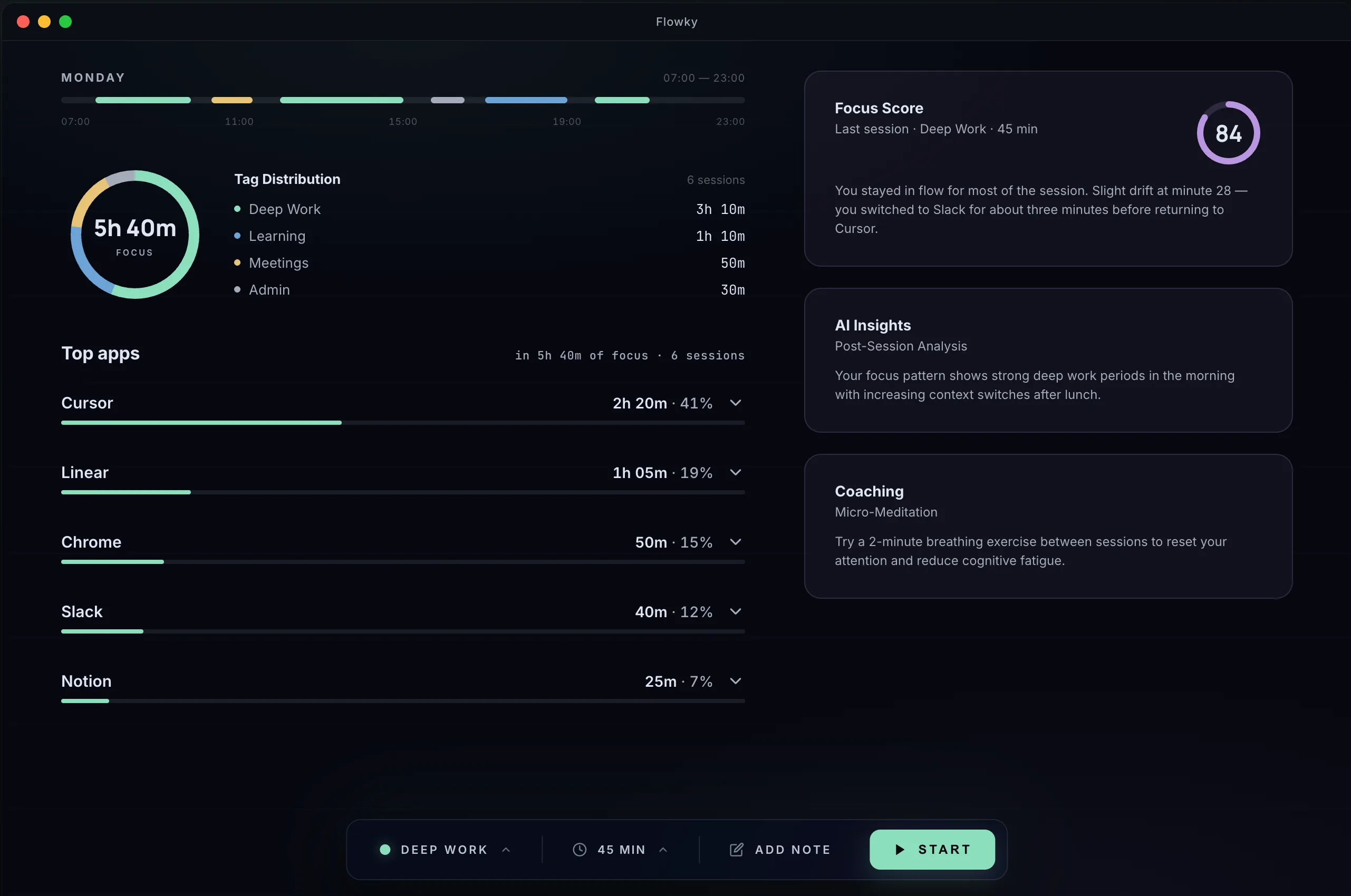
Start a focus session with intent.
Pick a tag for the work you're about to do. Set a duration, or pull one from a saved preset. Hit start. That's the whole setup. It's also all you ever do.
- 01 Tag your work: project, client, activity. Your call.
- 02 Save your common setups as presets.
- 03 Start from the main window or the menubar.
Flowky watches the apps, so you don't have to.
Once a session is running, Flowky records every app you switch to and how long you stayed there. No buttons, no babysitting. When the session ends, you have an honest record of where the time actually went.
- 01 Automatic capture of every app you used.
- 02 Live in the menubar. Glance without breaking flow.
- 03 Saved locally the moment the session ends.
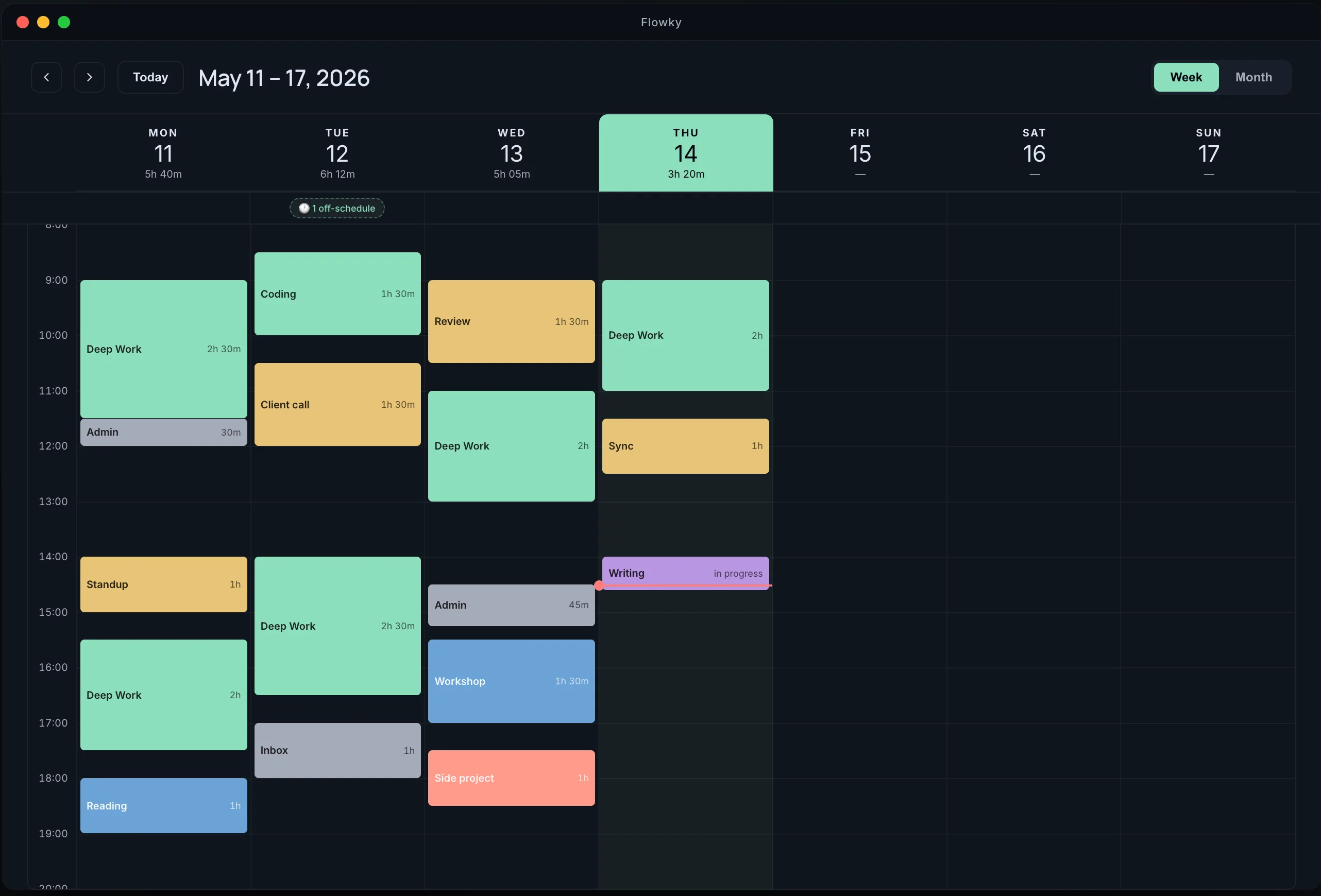
A week that reads itself.
See every session of the week, broken down by tag and by app. Spot where the hours went, what filled them, and where your attention drifted.
Let AI read your week for you.
Patterns, distractions, focus dips and time leaks: Flowky Pro surfaces what your data already knows. We're building it with the people on the list.
Your deep work clusters between 9–11am, then dissolves into context-switching by 2pm. Tuesday is your strongest day; Friday afternoons are noise.
Set a tag and an optional note. AI reads the apps you used and tells you how well you stayed on it.
Flowky learns your patterns and starts sessions for you when you settle into work.
See when you focus best, what derails you, and how your week actually shapes up.
Auto-DND on macOS while a session runs. Notifications wait their turn.
Keep every session, query any range, export when you need.
One free Mac app. One AI layer on top, when it's ready.
Pro requires an account. Sessions sync to the cloud so AI can analyze them, decoupled from your identity.
Frequently asked questions.
-
Does Flowky require an account?
No on Free: no signup, no login, no email. You download, launch, and start your first session. Pro will require an account because sessions sync to the cloud so the AI can analyze them. -
Where does my data live?
Free is 100% local. Every session, tag and app log stays on your Mac, in your user folder. Nothing leaves the device. Pro syncs sessions to cloud storage so the AI can analyze them; your password is encrypted, and the AI processes sessions without knowing whose data it is. -
Which apps does Flowky track?
While a session is running, Flowky logs every macOS app you switch to and how long you stayed there. For Chrome it also captures the active tab title, so a generic “browser” bucket doesn't hide hours of focused work. No keystrokes, no clipboard, no screenshots. -
When does Pro launch, and how much will it cost?
No date yet. We're building it with the people on the early-access list, and pricing will be announced at launch. Join the list and you'll be the first to know.
Clarity for your time, starting today.
Download Flowky for free. Bring it into your next session and see what your week tells you.
macOS 13+ · No account required · 100% local
On the next page you'll find an optional email field, and a clear skip link.